Android 17 Brings Floating Bubbles and Reaction Recording to Pixel Phones
Google Pixel phones and watches start receiving Android 17 today through the regular system update process. The release focuses on several practical additions that address everyday friction rather than delivering a complete visual overhaul. Owners of Pixel 6 series devices and newer can install it now through the settings menu, while phones from other manufacturers will follow over the coming months.
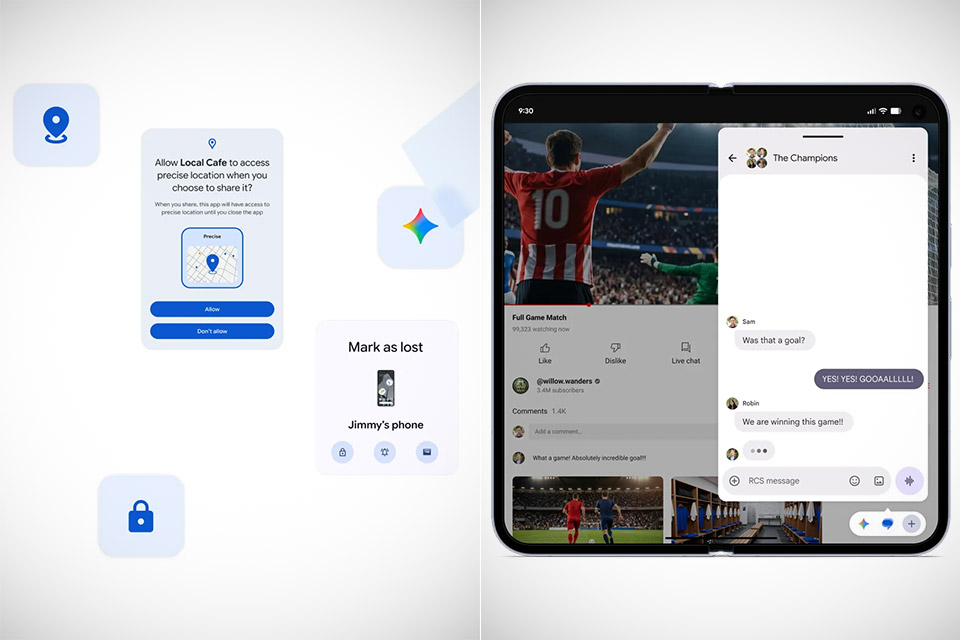
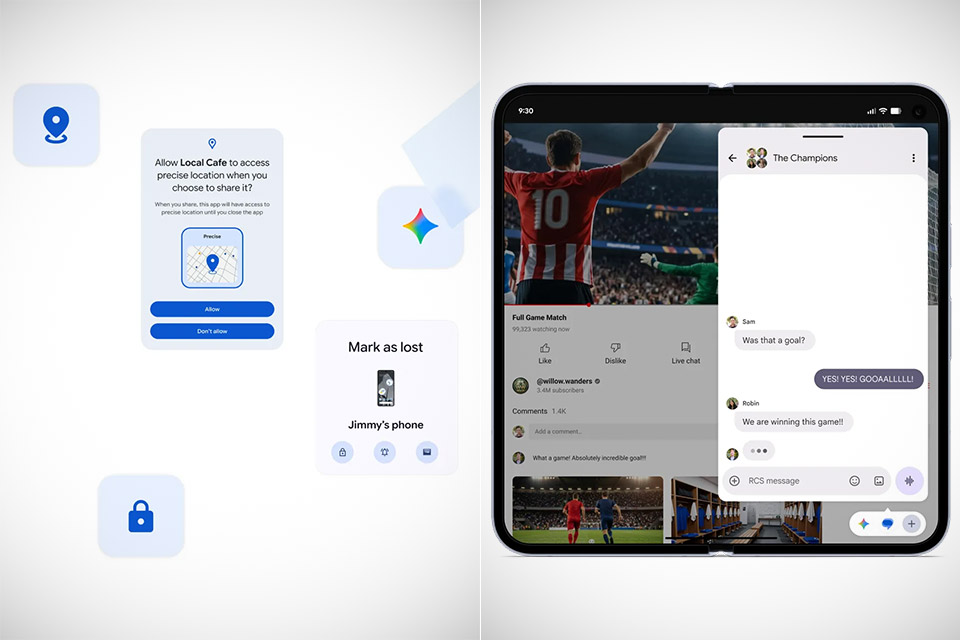
Long-pressing any app icon on the home screen now displays an option in the upper corner to turn the app into a floating bubble. Once everything is open, the bubble may be dragged about or enlarged while remaining on top of everything else. You can close it by simply sliding it to the bottom edge. Larger screens, such as the Pixel Fold or tablets, get a tiny bubble bar down the bottom that allows you to keep an eye on multiple floating windows at the same time. This makes it quite useful to keep your notes or a web browser open right next to whatever you’re viewing, allowing you to check a live score or a message thread without leaving the primary screen.
Sale

Google Pixel 10 Pro Fold – Unlocked Android Smartphone – Gemini AI Assistant – Advanced Triple Rear…
- Unfold extraordinary with Google Pixel 10 Pro Fold; with Pixel’s largest screen and Gemini, Google’s most advanced AI, it’s made for…
- Unlocked Android phone gives you the flexibility to change carriers and choose your own data plan[2]; it works with Google Fi, Verizon, T-Mobile…
- The gearless, high-strength hinge makes it durable enough to handle about 10 years of folding[3]; plus, Pixel 10 Pro Fold is built with Corning…
Screen recording now uses a revised flow that begins in the quick settings panel and allows you to control the recording with a little floating pill. Once you’ve started recording, you may flick a switch to record your own short video at the same time, and when it’s finished, you’ll be taken to a preview screen where you can clip, delete, review, or share it without using any additional editing software. Background apps cannot consume excessive memory under the new rules, and any app that becomes overly greedy will be automatically terminated by the system. This improves the performance of your phone while also reducing battery consumption.
If you register your smartphone as missing on Find My Device, you must now use your biometric data to authenticate it, in addition to providing your password. This makes it far more difficult for anyone who has your passcode to disable tracking or gain access. App requests for location permission now provide explicit alternatives for granting permission to use your location exactly or approximately, as well as a one-time precise option for apps that want it for a fast job. Also, when you share your contacts, the app just receives the ones you select, not your whole address book.
Pixel phones also gain expanded Quick Share support on more models in the current lineup. Voice translation during phone calls is now available on even more devices. Photo editing in Google Photos allows you to discuss which modifications to make, and this feature is now available in a number of new countries. Generative capabilities in the Gemini app, such as converting text into a short film or creating music from a prompt, are now available on Pixels running Android 17. A few more AIy features, which were previously mentioned, will be available to qualified devices later this summer.
Android 17 Brings Floating Bubbles and Reaction Recording to Pixel Phones
#Android #Brings #Floating #Bubbles #Reaction #Recording #Pixel #Phones